Morse Code Image Translator
Upload a clear Morse picture. This page finds dots and dashes in the image, turns them into Morse, then decodes the text, all in your browser. It does not read flashlight blinks or microphone audio.
International Morse Code · 100% browser-based · Images are not uploaded. Prefer typing? Use the Morse code translator.
How to decode Morse from a picture
- Upload a PNG, JPG, or WebP of Morse dots and dashes. Crop extra UI or margins if you can.
- The scan runs when the image loads. If marks look wrong, try Invert or drag Threshold.
- Read Morse and text. Edit the Morse box if a letter was missed.
- If the picture is a screenshot of typed letters or of Morse written as
.-/, press Read text. The first run downloads the OCR engine (Tesseract.js) in your browser. Drawn dots and dashes are not letters, so use Threshold for those. - Press Play, Copy, or Download WAV.
1. Upload the image
Tap to upload, drag and drop on a computer, or press Try example (SOS). Keep the file under 8 MB.
2. Scan in the browser
Threshold finds drawn dots and dashes. OCR reads printed words or Morse typed as . - /.
3. Listen or download
Play the signal, copy the text, or save a WAV. Nothing is stored on our side.
Example: SOS from a picture
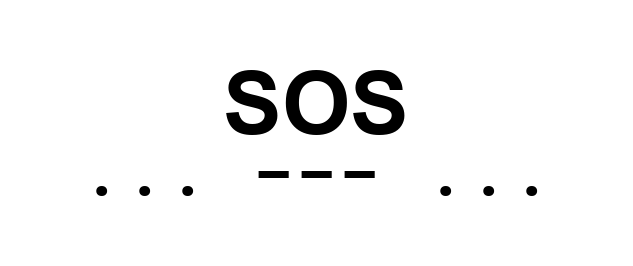
Press Try example (SOS) above to scan this sample. It is a high-contrast strip of the distress signal, the same pattern you would see in a textbook or puzzle. Full notes: SOS in Morse code.

... --- ...Example: typed Morse for OCR
Upload this sample, then press Read text. Tesseract can read the letters SOS and Morse written as period and hyphen characters. Drawn dots are not letters, so OCR skips those and Threshold handles them instead. Try typed Morse (OCR) this way when the picture is printed text.
... --- ...Quick examples: Morse picture to English
Use these as a check after a scan. Many printed puzzles put a / between words. Classic Morse uses a longer space instead. This decoder accepts both.
| Label | Morse | Text |
|---|---|---|
| Emergency signal | ... --- ... | SOS |
| Simple word | .... . .-.. .-.. --- | HELLO |
| Help | .... . .-.. .--. | HELP |
| Common phrase | - .... .- -. -.- / -.-- --- ..- | THANK YOU |
More phrases: Hi, Help me, I love you, Love, Yes, No.
What this page can and cannot do
It is built for Morse drawn or printed as dots and dashes, and for screenshots of Morse written with period, hyphen, and slash. It stays on your device: the image is not sent to our server.
- Good: high-contrast screenshots, printed charts, puzzle images with clear spacing.
- Fair: phone photos if the code is sharp and well lit.
- Not supported: live flashlight, handwriting that looks like doodles, or Morse hidden in noisy backgrounds.
Features of this photo Morse translator
- Visual scan: threshold, invert, and auto threshold for drawn dots and dashes.
- Optional OCR: Tesseract.js in the browser for printed words or typed
.-/. - Editable Morse: fix a missed mark without uploading again.
- Play and export: listen, copy, or download WAV.
- Free, no account: works in a normal phone or desktop browser.
- Private by design: Images are not uploaded. The file stays in the browser.
Supported image sources
Sharp, high-contrast Morse is the main requirement. Source type still changes how often you need to tune Threshold.
| Source | Examples | What to expect |
|---|---|---|
| Screenshots | Phone or computer captures | Best for both visual scan and OCR |
| Digital graphics | Charts, puzzle files, saved PNG | Excellent when spacing is even |
| Photos | Camera shots of paper or a screen | Good if focused and well lit |
| Scans and books | Printed references, textbook pages | Good after a tight crop |
| Handwritten notes | Notebook dots and dashes | Only if the marks look printed, not sketched |
Who uses a Morse translator from a picture?
- Students: check a practice sheet against the Morse code alphabet.
- Puzzle solvers: escape-room clues, ARG art, and game screenshots.
- History readers: scans of printed charts or archive pages, not live lamps.
- Radio learners: training diagrams; type or play the result on the homepage translator.
- Anyone curious: a Morse image found online, without decoding by hand.
Tips for a cleaner scan
- Crop tightly around the code.
- Prefer PNG or a lightly compressed JPG.
- Avoid glare, blur, and tiny marks that merge into one blob.
- Word gaps in many images are a visible
/; classic Morse uses a longer space instead. This decoder accepts both.
| Do this | Avoid this |
|---|---|
| Sharp, focused shot | Blur or camera shake |
| Even lighting | Glare and hard shadows |
| Crop to the Morse | Extra UI, frames, or wallpaper |
| Do this | Avoid this |
|---|---|
| Plain background | Busy patterns behind the code |
| Clear gaps between letters | Marks that touch or overlap |
| High contrast | Grey-on-grey or tiny fused dots |
Common problems and fixes
The file will not load
Use PNG, JPG, JPEG, WebP, or GIF under 8 MB. Refresh and try another browser if the picker fails. SVG is not a reliable scan source.
The decoded text looks wrong
Tune Threshold until the preview matches the marks you see. Try Invert. Crop closer. Confirm the image is Morse, not a similar-looking decoration. Edit one letter in Detected Morse if the rest is fine.
Only part of the line decodes
Dust, texture, and UI chrome get treated as extra blobs. Crop them out. Raise contrast on the original if dots wash into the paper.
OCR finds nothing
Drawn dots are not letters. Use Threshold for those, or a screenshot of printed text. The first OCR run needs a network download for Tesseract.js. The status line shows the real error if the engine cannot start.
Image decoder vs typing Morse yourself
Use this page when the code is already in a picture. Use the homepage translator when you can type. Manual decoding is still the way to learn fluency. Start with learn Morse code.
| Image translator | Typing or learning by hand | |
|---|---|---|
| Speed | Seconds after a clear upload | Minutes, depending on length |
| Best input | A still picture of Morse or printed text | A keyboard, or a chart you already know |
| Skill needed | None, if you can crop and tune threshold | You need the alphabet, or a lookup table |
| Not for | Flashlight, video, or microphone Morse | A photo you cannot retype |
Morse code timing
International Morse is built from time units. Images show that timing as space on the page. Uneven gaps in a photo are the usual reason one letter splits or two letters glue together.
| Element | Units |
|---|---|
| Dot | 1 |
| Dash | 3 |
| Gap inside a letter | 1 |
| Gap between letters | 3 |
| Gap between words | 7 |
Morse code chart (letters and numbers)
Check a decoded letter against this table, or open the full A-Z Morse code alphabet with audio.
| Letter | Morse | Letter | Morse |
|---|---|---|---|
| A | .- | N | -. |
| B | -... | O | --- |
| C | -.-. | P | .--. |
| D | -.. | Q | --.- |
| E | . | R | .-. |
| F | ..-. | S | ... |
| G | --. | T | - |
| H | .... | U | ..- |
| I | .. | V | ...- |
| J | .--- | W | .-- |
| K | -.- | X | -..- |
| L | .-.. | Y | -.-- |
| M | -- | Z | --.. |
| Number | Morse | Number | Morse |
|---|---|---|---|
| 0 | ----- | 5 | ..... |
| 1 | .---- | 6 | -.... |
| 2 | ..--- | 7 | --... |
| 3 | ...-- | 8 | ---.. |
| 4 | ....- | 9 | ----. |
Frequently asked questions
What is a Morse code image translator?
It is a browser tool that reads Morse from a picture. Upload a PNG, JPG, WebP, or GIF with dots and dashes. The page scans the marks, shows International Morse, then decodes it to text. You can play the tones or download a WAV. Images are not uploaded to our server.
How do I translate Morse code from a picture?
Drop or choose the image. The scan runs on upload. Read the Morse and the decoded text. Edit a missed letter in the Morse box. For a screenshot of typed letters or of . - / characters, press Read text. Then play, copy, or download.
What image formats work with this Morse code picture translator?
PNG, JPG, JPEG, WebP, and GIF work in the uploader. PNG and clean screenshots give the sharpest edges. A lightly compressed JPG is fine. Heavily compressed files, tiny marks, and glare make dots merge. BMP is not in the file picker. Crop to the code before you scan when you can.
Does the image leave my computer?
No. The visual scan and optional Tesseract.js OCR run in your browser. Images are not uploaded. The first OCR run may download the OCR engine from the network. After that, the picture still stays on your device. We do not store the file.
Can I convert English in a photo into Morse?
If OCR reads ordinary printed words, this page encodes those words to Morse. That path is for sharp screenshots of text, not handwriting. For typing, the homepage Morse code translator is faster. Drawn dots and dashes use Threshold, not OCR.
Is the Morse code image translator free?
Yes. There is no account and no extra fee. You can scan, edit Morse, play audio, copy the result, and download WAV or text without signing up. The tool runs in a normal desktop or phone browser.
Why did the scan miss a letter?
Marks may be too small, too close, or too light. Drag Threshold, try Invert, and crop extra UI. Confirm the picture is real Morse, not decorative icons. Puzzles sometimes use lookalike shapes. You can fix one character in the Detected Morse box without scanning again.
Does this page read flashlight blinks or microphone audio?
No. It does not read flashlight blinks or microphone audio. It only works on a still image of Morse, or on printed text via OCR. Live lamps, video, and sound-to-text are not supported here.
When should I use OCR instead of threshold?
Use Threshold for Morse drawn as graphic dots and dashes. Use Read text for screenshots of letters or of Morse typed as period, hyphen, and slash. Drawn blobs are not letter shapes, so Tesseract.js will skip them. Upload the typed sample below, then press Read text.
Keep learning
- Morse code translator: type text or Morse, play, and download WAV.
- Changelog: dated notes on the translator and this page.
- Learn Morse code: practice dots and dashes by ear.
- Morse code alphabet: letters with playback.
- Mastering the basics of Morse code
- Why Morse code’s SOS still matters
- Uses of Morse code in real-world situations